
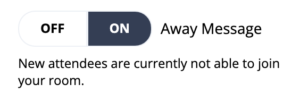
If you ever need a break while presenting, simply toggle the “Away Message” button from “OFF” to “ON.” This button lets attendees know from the main event page that your room is currently unavailable to enter. When you’re ready to come back, just slide the “Away Message” button back to “OFF,” and attendees can enter your room again.
FAQs:
Q: What is the message attendees see on the main event page when I lock my room?
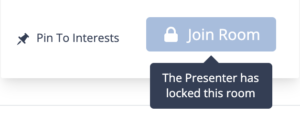
A: When your room is locked, attendees will not be able to enter your room. If they try to enter your room, they will receive the message “The Presenter has locked this room” (see below screenshot).
Q: Can I customize this away message?
A: No, the away message is currently not customizable.